Scattered records
Documents, policies, contacts, legal references, subscriptions, and notes often live across apps, folders, emails, and memory.
Private family readiness
Life Vault keeps family records, emergency details, encrypted documents, backups, and recovery guidance organized on your device.
Why it matters
Life Vault turns family readiness into a structured local vault with records, instructions, recovery points, and clear limits.
Documents, policies, contacts, legal references, subscriptions, and notes often live across apps, folders, emails, and memory.
Device loss, forgotten recovery material, or missing backups can make important information harder to restore.
Family instructions, emergency pack coverage, and legal or estate references are easier to follow when prepared before they are needed.
How it works
Add the essentials, organize them by real-life needs, and keep recovery material safe.
Step 1
Save family profiles, emergency contacts, identity records, documents, insurance, medical references, assets, subscriptions, and legal or estate notes.
Step 2
Group information by category, linked family member, emergency pack coverage, renewal dates, and handover needs.
Step 3
Use readiness checks, reminders, local encrypted backups, optional Cloud Backup, and export packs so information stays useful.
Core features
Life Vault gives each record type a clear place and helps you understand what is ready, what needs review, and what recovery material must stay safe.
Product tour
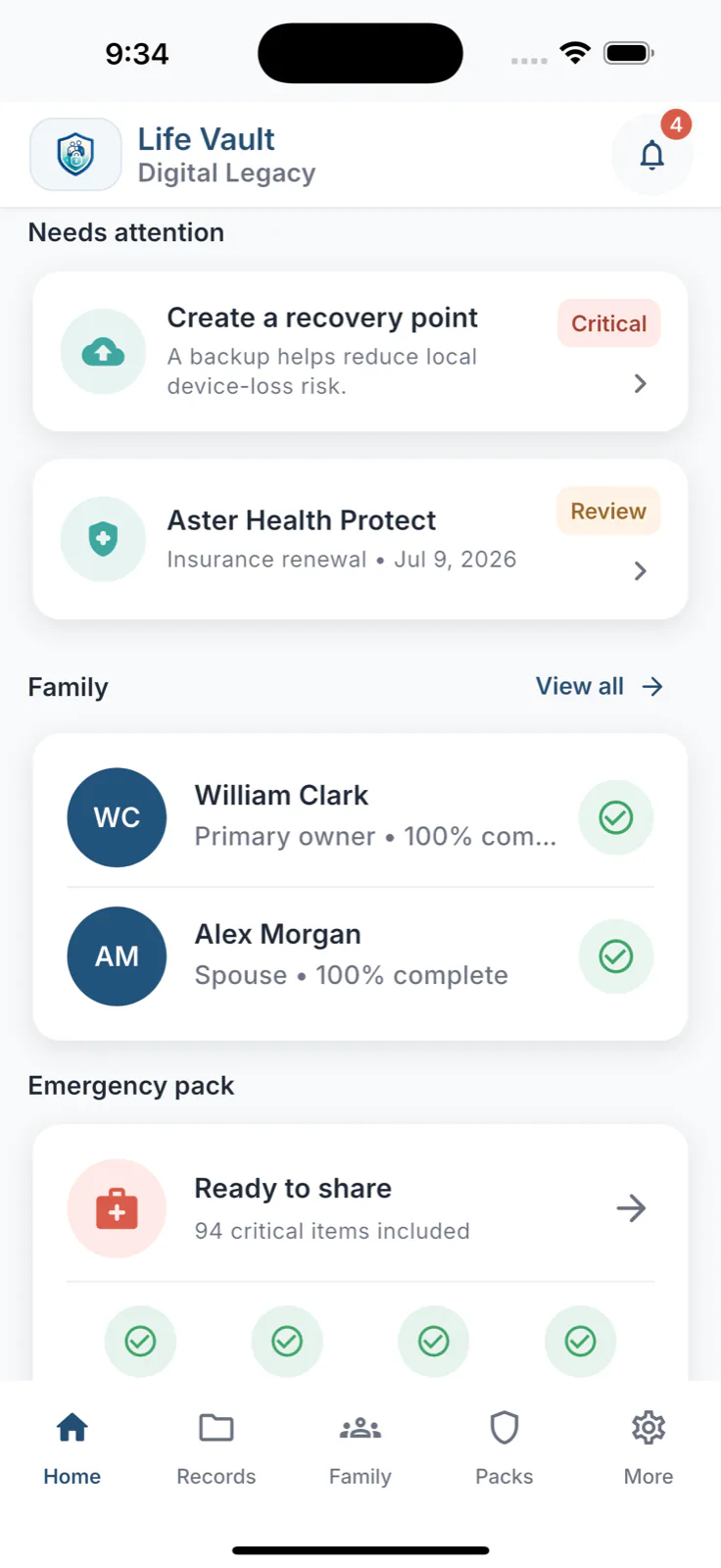
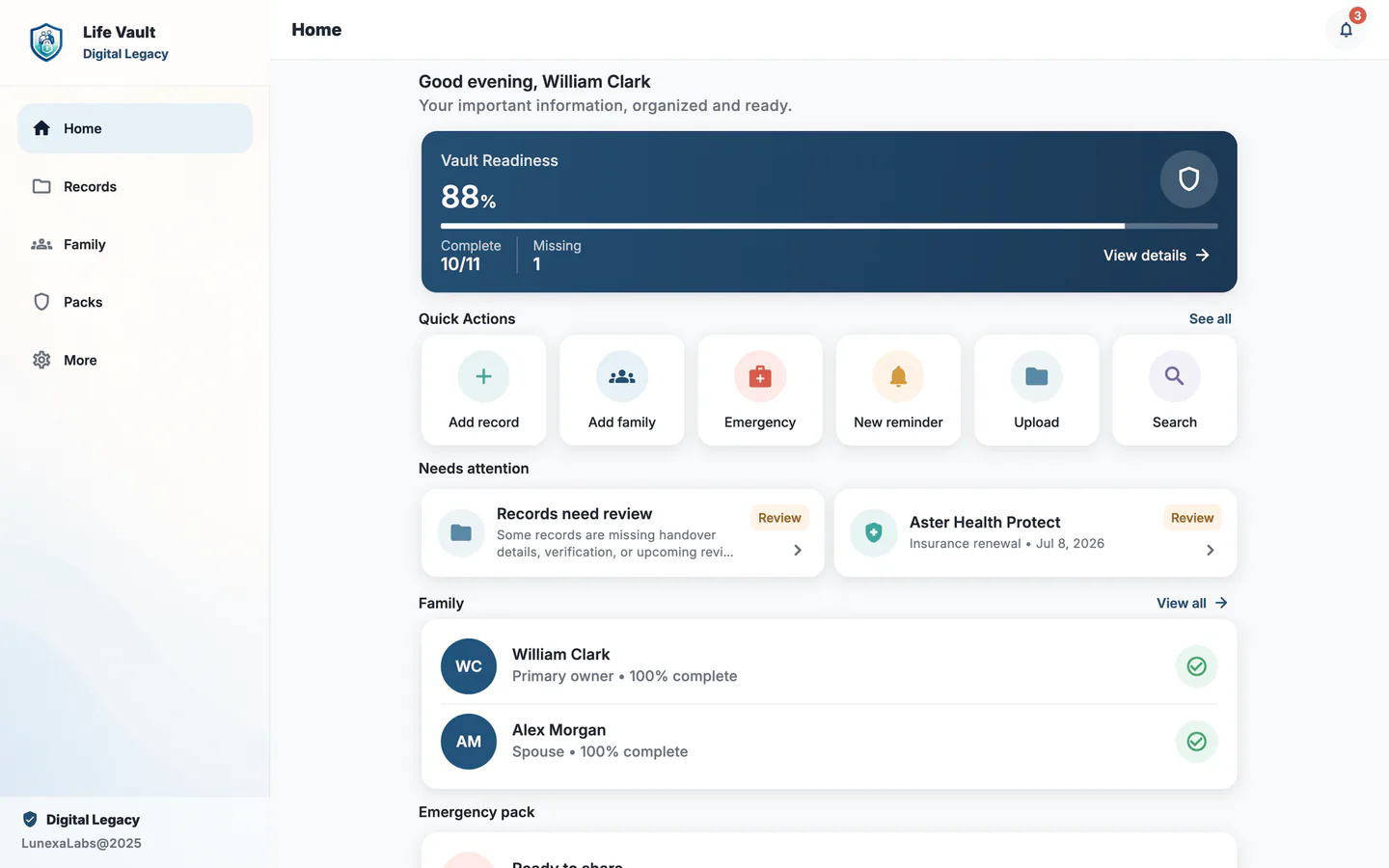
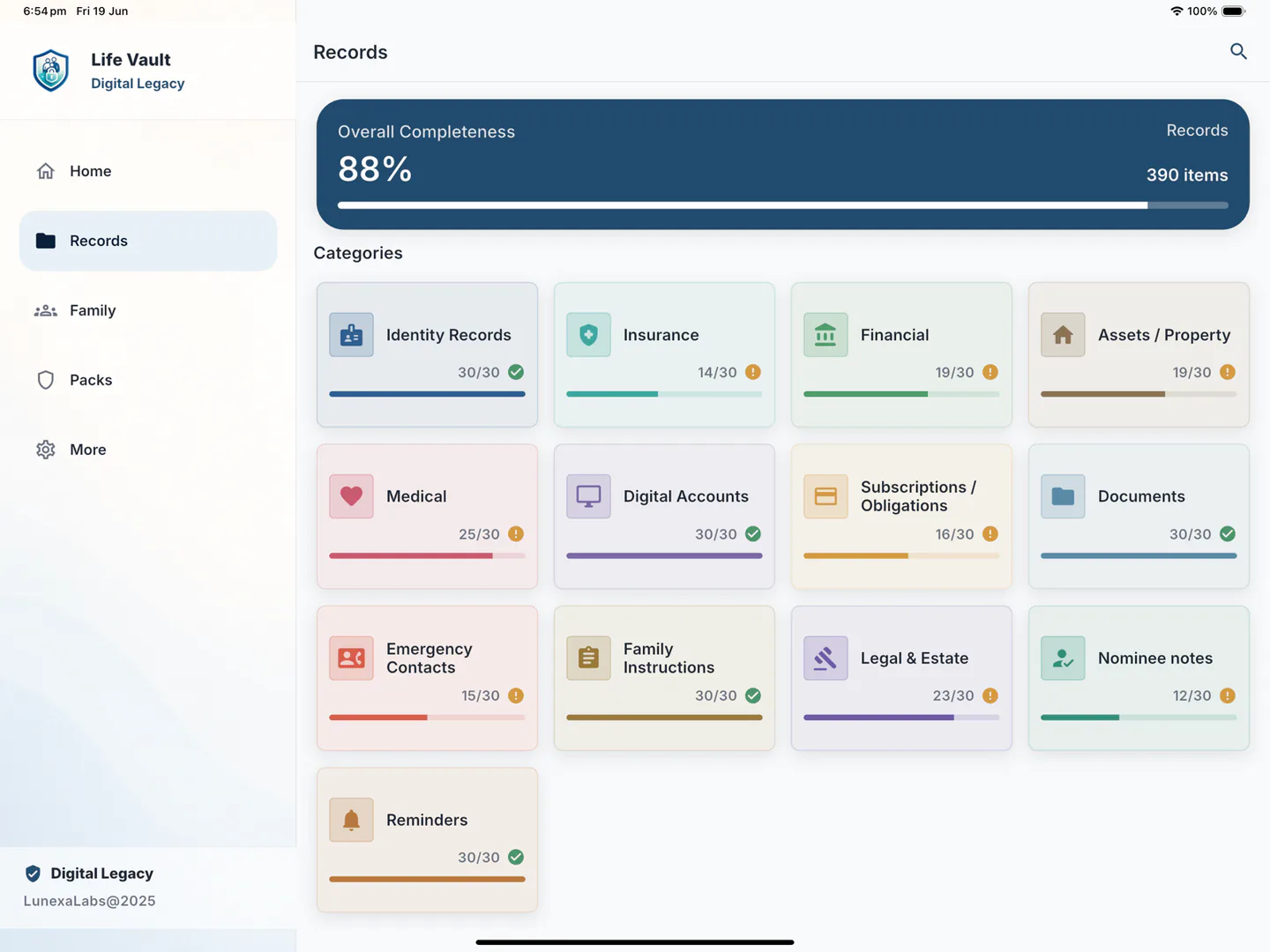
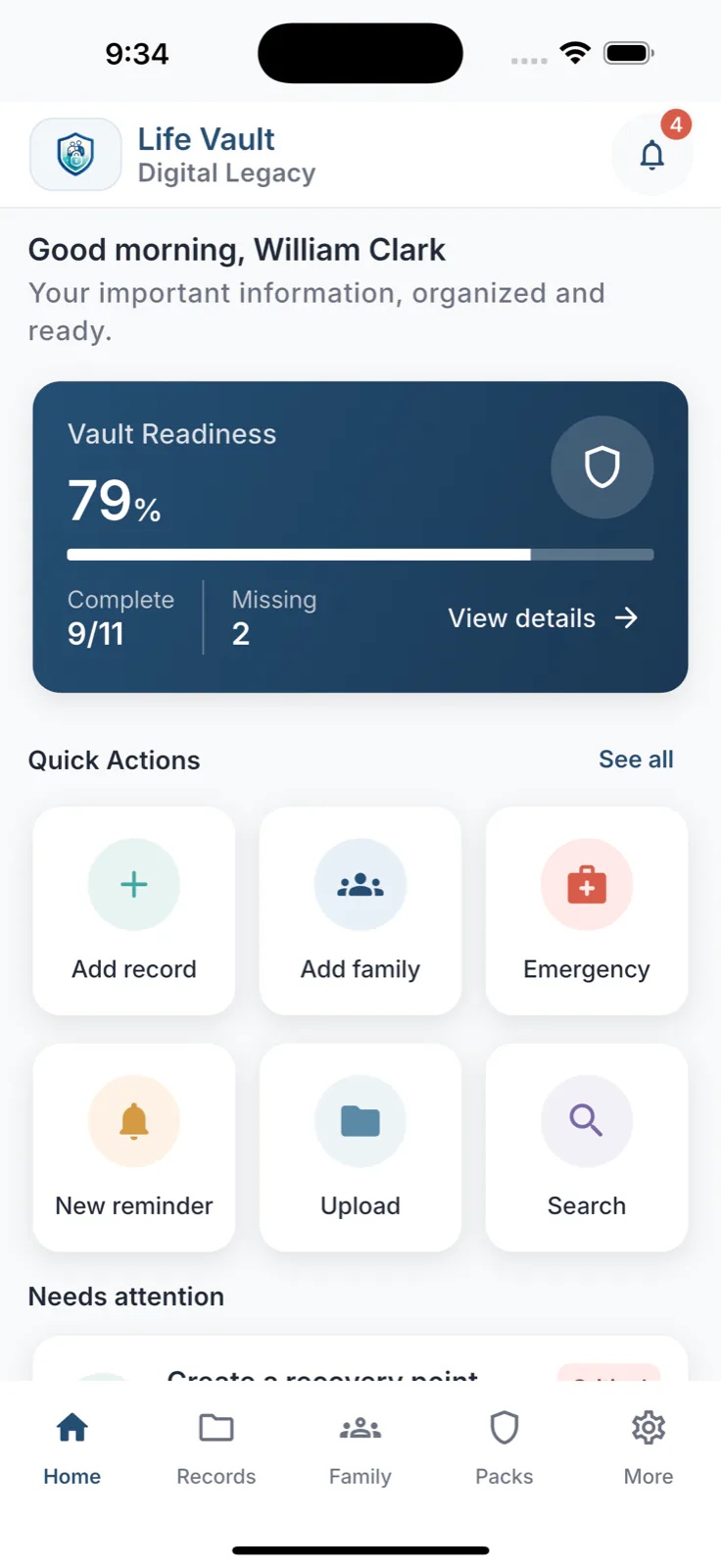
Life Vault adapts the same local-first records, backup, and export workflows across everyday screens.
Use a compact phone view for quick updates, a tablet layout for review, and a desktop layout when organizing larger record sets.
Privacy & trust
Your vault works locally first. You choose what to back up, export, or share.
Local-first vault
Optional Cloud Backup
User-controlled export
You can use Life Vault without an account. Records stay local unless you choose backup or export.
Cloud Backup stores encrypted recovery copies. It is optional and does not turn the app into live sync.
Attachments are encrypted in app storage. Export packs create copies you explicitly choose to share.
It does not verify documents, guarantee transfers, close accounts, diagnose health issues, or replace professional advice.
Use cases
Life Vault helps organize practical information before family, travel, caregiving, or estate questions become urgent.
Keep family profiles, documents, insurance references, contacts, and care notes easier to review.
Prepare instructions, digital account references, recovery hints, and important documents for trusted people.
Organize contacts, medical references, policy details, and household notes in a calmer structure.
Keep wills, powers of attorney, trusts, directives, executors, nominees, and legal contacts easier to find.
Digital legacy
Life Vault helps you organize digital account references, recovery hints, instructions, and documents trusted people may need later, without claiming to transfer assets or replace professional planning.
01
02
03
04
Keep family, emergency, professional, and support contacts easier to find.
Organize IDs, policies, assets, subscriptions, legal or estate references, and household records in structured sections.
Write practical notes for trusted people about where things are, what matters, and what needs attention.
Prepare clear references that can support family clarity without replacing legal nomination or estate planning.
Record account references and recovery hints without storing passwords, backup codes, OTP seeds, or full credentials.
Keep recovery material, encrypted backups, and controlled export packs prepared before they are needed.
Backup & export
Create local backups, use optional Cloud Backup, preview restores, and export selected information when needed.
Create an encrypted backup file, validate it, and preview restore details before replacing local vault data.
Use Cloud Backup only when you choose to enable it. Only protected backup files and required backup details are uploaded.
Prepare selected information for emergency, family handover, household admin, or digital legacy use.
Keep backup passwords or recovery keys stored outside this device.
01
02
03
04
Plans
Use Life Vault locally for essential organization, then add Premium features or Cloud Backup when you want more export, recovery, and restore support.
A calm starting point for local private records and essential readiness.
Premium features for people who want a more complete local vault without Cloud Backup.
Cloud Backup and restore for people who want encrypted off-device recovery with an account.
Plan names and availability may vary by platform. Final pricing is shown in the app store or inside the app.
Life Vault
Digital Legacy
Download Life Vault and start organizing records, emergency details, recovery points, and practical handover guidance.
Scan once. iOS and Android visitors are routed to the right store.
https://lifevaultapp.co/download
FAQ
Clear answers about the Life Vault app, local-first storage, encrypted backup options, exports, recovery material, and boundaries.
Life Vault is a private family readiness and digital legacy app that helps you organize contacts, identity records, documents, insurance, medical references, assets, subscriptions, legal and estate references, family instructions, reminders, backups, and exports.
No. This website is only a public product information and download website. Your private vault is managed inside the Life Vault app.
Yes. Life Vault is designed as a local-first vault. You can use it without an account, and records stay local unless you choose backup or export.
By default, records are saved locally first. If you enable Cloud Backup, the app uploads encrypted backup files and the metadata needed to manage them.
No. Cloud Backup is optional. You can keep using Life Vault offline and use local backup tools without enabling cloud recovery.
For privacy and encryption safety, lost recovery material may make encrypted data unrecoverable. Keep your recovery key or backup password outside this device.
Life Vault can help prepare export packs for emergency, family handover, insurance claim, household admin, or digital legacy use when you choose to create them.
No. Life Vault helps organize digital account references and recovery hints, but you should not store passwords, backup codes, OTP seeds, or full credentials in those notes.
No. Life Vault organizes information and references. It does not replace professional legal, medical, financial, estate, or healthcare advice.
Yes. Life Vault is designed to help organize family members, emergency contacts, care notes, linked records, documents, instructions, and readiness gaps.
Yes. Life Vault is available from the App Store and Google Play.
You do. Exports are created only when you choose to prepare or share information, and exported copies are outside the vault's local lock.
Support
For product support, privacy questions, Cloud Backup questions, or app availability, contact the Life Vault team.
Life Vault is built by Lunexa Labs.
Email support@lifevaultapp.co
Read how privacy information is presented.
Review product terms and boundaries.
Open the Life Vault listing on the App Store.
Open the Life Vault listing on Google Play.
Learn how to request cloud account deletion in the app.